The less time cemetery staff spend searching for records, the more time they have to do what they do best: serve the families with whom they work. That’s why thousands of cemeteries in the United States are using cemetery software to help managers easily input burial information on online cemetery maps.
By connecting all ownership, interment, and marker information on a digital map, cemetery mapping software gives cemetery managers real-time insights into which plots have been sold and which ones are available. In other words, with the best online cemetery mapping software, your map is your cemetery.
In this post, we take a close look at two CIMS mapping software products: CIMS Plus and CIMS Professional. We’ll explore their standout features and consider their key differences.
CIMS Plus and user-generated mapping for cemeteries
The CIMS team developed CIMS Plus to make cemetery mapping software accessible for more cemeteries. While it may come at a lower price point than CIMS Professional, it packs plenty of exciting features.
The latest cemetery mapping product from CIMS, CIMS Plus is powered by an easy-to-use database. Cemetery staff can use this database to track ownership details, burial information, maintenance requests, and more. They can also link all this information to an interactive cemetery map with CIMS Plus's user-generated mapping feature.
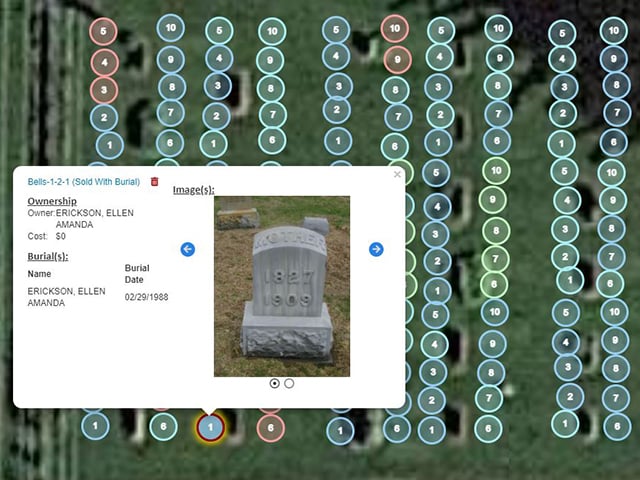
What is user-generated mapping? This feature allows cemetery managers to view, mark, and edit spaces on real-time maps of their cemetery grounds. Cemeterians can add icons to indicate available plots, grave status, and more. In other words, user-generated mapping means that CIMS users can create their own custom maps by placing icons on an aerial view of their cemetery grounds. Clicking on these icons allows CIMS users to view burial records, ownership information, and associated images, deeds, and files.
CIMS Plus is compatible with most additional services offered by CIMS, including:
- Burial Search
- Data migration
- Drone imaging
- Ground penetrating radar
- QuickBooks® integration
- Salesforce integration
- Timeline memorials
- 360-degree imaging
CIMS Professional and GIS mapping for cemeteries
Like CIMS Plus, CIMS Professional offers an intuitive database and record management system. From viewing ownership details and inputting burial information to processing work orders and managing cemetery accounting, this powerful database allows staff to conduct cemetery business in one place. All the information stored in the CIMS database can then be linked to a GIS map of the cemetery.
Here’s where the two products begin to differ: CIMS Plus has user-generated mapping. CIMS Professional comes with highly accurate GIS maps.
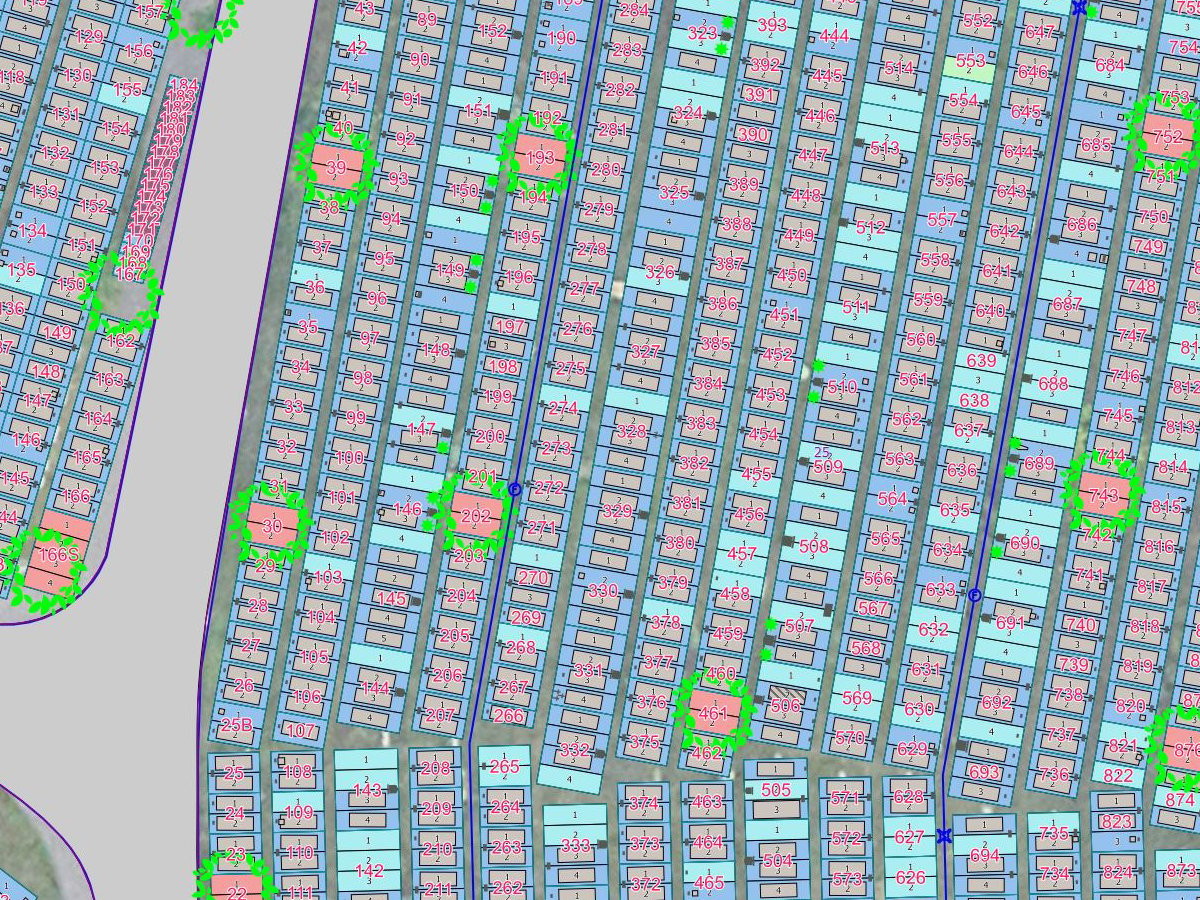
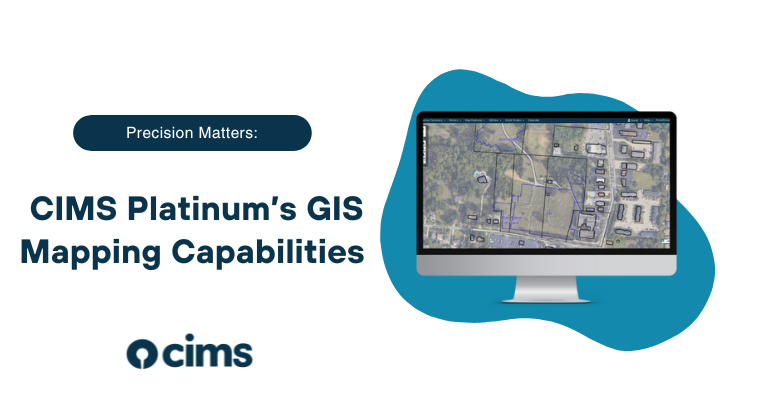
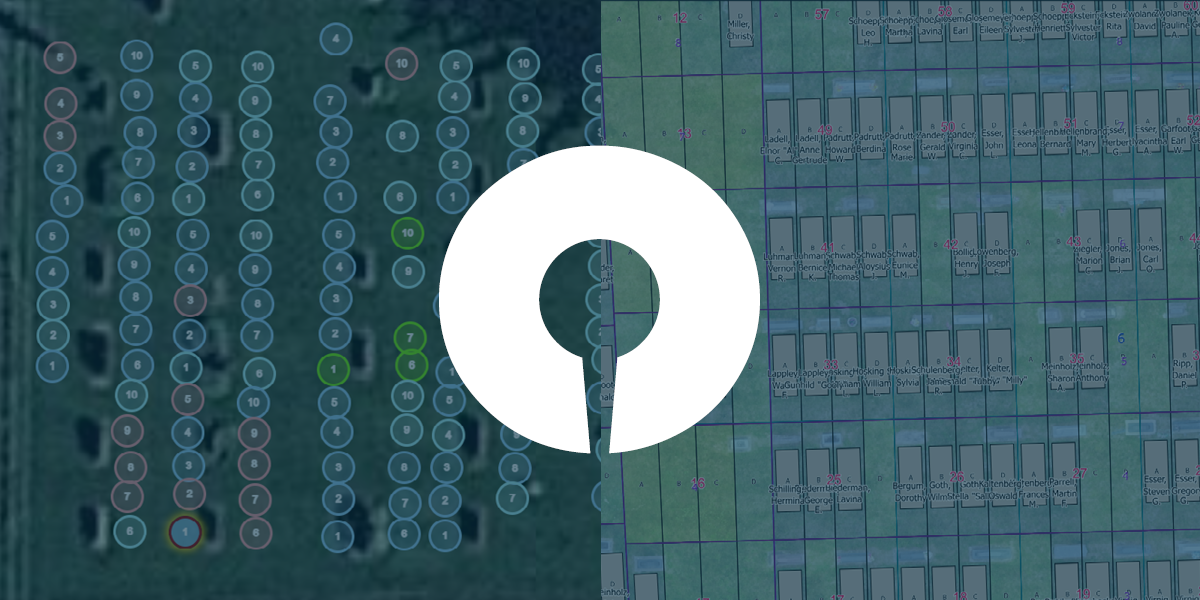
To create the interactive smart maps included with CIMS Professional, the CIMS team uses GIS mapping technology to create an accurate model of the cemetery that includes every grave space. GIS is the foundation of a cemetery’s CIMS Professional map. And it’s this foundation that allows users to access spatially accurate maps with near-exact plot sizes, burial locations, burial shapes, and replicas of markers.
CIMS Professional users can take advantage of every additional service offered by CIMS, including:
- Burial Search
- Data migration
- Drone imaging
- Ground penetrating radar
- QuickBooks® integration
- Salesforce integration
- Timeline memorials
- Tree and vegetation management
- 360-degree imaging
Breaking down the differences between CIMS Plus and CIMS Professional
There are three key differences between CIMS Plus and CIMS Professional: the types of mapping features they include, which additional services are available to users, and price.
What’s the difference between user-generated cemetery maps and GIS cemetery maps?
While both CIMS Plus and CIMS Professional are cemetery mapping software products, CIMS Plus offers user-generated mapping, and CIMS Professional offers comprehensive GIS maps.
What’s the difference between the two mapping systems? Think of it this way: Bicycles and motorcycles are both effective two-wheeled modes of transportation. However, bicycles rely on riders as an energy source. Motorcycles have engines.
In this case, CIMS Plus is like a bicycle. CIMS Professional is like a motorcycle.
CIMS Plus is the perfect cemetery software for users who are comfortable doing their own pedaling. They want to take charge of their own mapping with user-generated maps. CIMS Professional comes with a suite of advanced mapping features for cemeterians who want an engine to make things easier and take them farther.
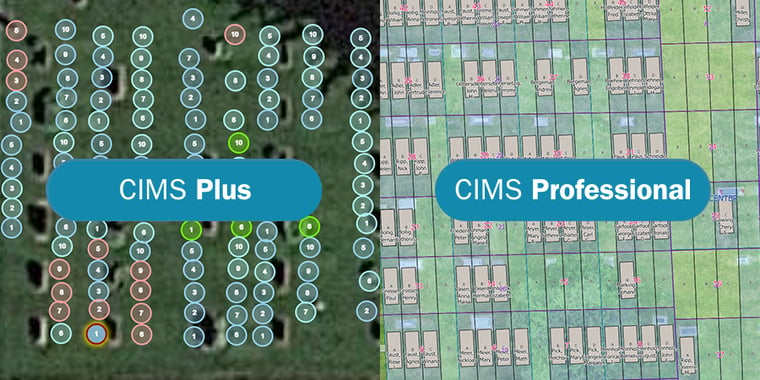
In general, CIMS Professional maps are more accurate and offer more descriptive marking features than CIMS Plus maps. Both products are backed by the same user-friendly database.
Which additional services are available with CIMS Plus and CIMS Professional?
All CIMS cemetery software additional services are available with CIMS Professional. The tree and vegetation management module is not available with CIMS Plus.
Is there a price difference between CIMS Plus and CIMS Professional?
Yes. Just as bicycles typically have a lower price tag than motorcycles, CIMS Plus is offered at a lower price point than CIMS Professional. Although it doesn’t offer the same functionality as CIMS Professional, it remains a powerful cemetery mapping software built to align with more modest budgets.
To learn more about pricing for your cemetery, fill out our proposal request form. After gathering some basic information about the size and location of your cemetery, a member of the CIMS team will provide estimates for implementing CIMS Plus and CIMS Professional at your cemetery.
See CIMS Plus and CIMS Professional in action
The best way to learn whether CIMS Plus or CIMS Professional better fits your cemetery’s needs is to see both products in action. Schedule an online demo to learn more about user-generated and GIS cemetery maps.